Your battery-powered security camera can look like it is “eating” power faster in winter, and it is not always because the hardware is broken. Cold changes what a lithium pack can deliver, shorter days push more recording into infrared, and holiday traffic plus wind-blown motion can quietly multiply how often the camera wakes up. When you multiply daily triggers × clip length × night-vision workload, small setting changes often matter more than waiting for a new battery.
Below is a practical way to read your run time, tune what you control, and know when it is time to recharge or swap hardware. We will keep the tone grounded. Your goal is dependable coverage, not perfection on a spreadsheet.
What Cold Actually Does to the Battery Pack
Lithium-ion cells still work below freezing, but the chemistry gets less forgiving. Internal resistance goes up when the pack is cold, charging slows, and the usable energy you feel in day-to-day use can drop compared with a mild fall afternoon. Industry guidance for consumer Li-ion also stresses that low temperatures change how gracefully the pack accepts charge and how efficiently it delivers power during heavy bursts, like waking Wi‑Fi, analyzing video, and writing a clip (source: Battery University, BU-410).
That does not mean every cold night costs you half your capacity. It means winter adds a physics headwind on top of whatever workload your camera already had. For broader context, the U.S. Department of Energy’s Alternative Fuels Data Center notes how widely lithium-ion packs are used across consumer electronics and electric vehicles, which helps explain why “winter feels different” shows up across categories, not just cameras.
Why Triggers and Clip Length Often Matter More Than the Thermometer
If you own a battery-powered security camera, you can easily solve fast battery drain issues. Stop focusing on confusing battery percentage drops. Start analyzing motion trigger events instead.
Picture a single busy evening
- A delivery truck pauses in the frame, then pulls forward. That can be more than one clip, depending on how your detection and cooldown behave.
- A flag or bush moves in a porch light beam after a storm. If sensitivity is high and motion zones are wide, you get more wakes.
- Each wake pays the same bill: radio on, encoder on, storage write, notification path, and sometimes spotlight or color night features if you enabled them.
Now add winter realities for outdoor installs with a battery-powered security camera
- Night lasts longer, so infrared or supplemental lighting runs more often.
- People come home earlier, packages stack up, and porch activity clusters into the same hours your camera is already working hardest.
- Cold slows the battery at the same time the workload rises.
You do not need a perfect model in your head. A simple habit works well in the field:
- Open your app and look at events per day for a normal weekday and a busy weekend.
- Note your average clip length (for example, 8 seconds versus 20 seconds versus “record until motion stops”).
- Ask whether night mode is IR only or color night / spotlight heavy.
If events double and clips stretch from 8 seconds toward 20 seconds, you are in a different league of energy use even if the temperature only moved a few degrees.
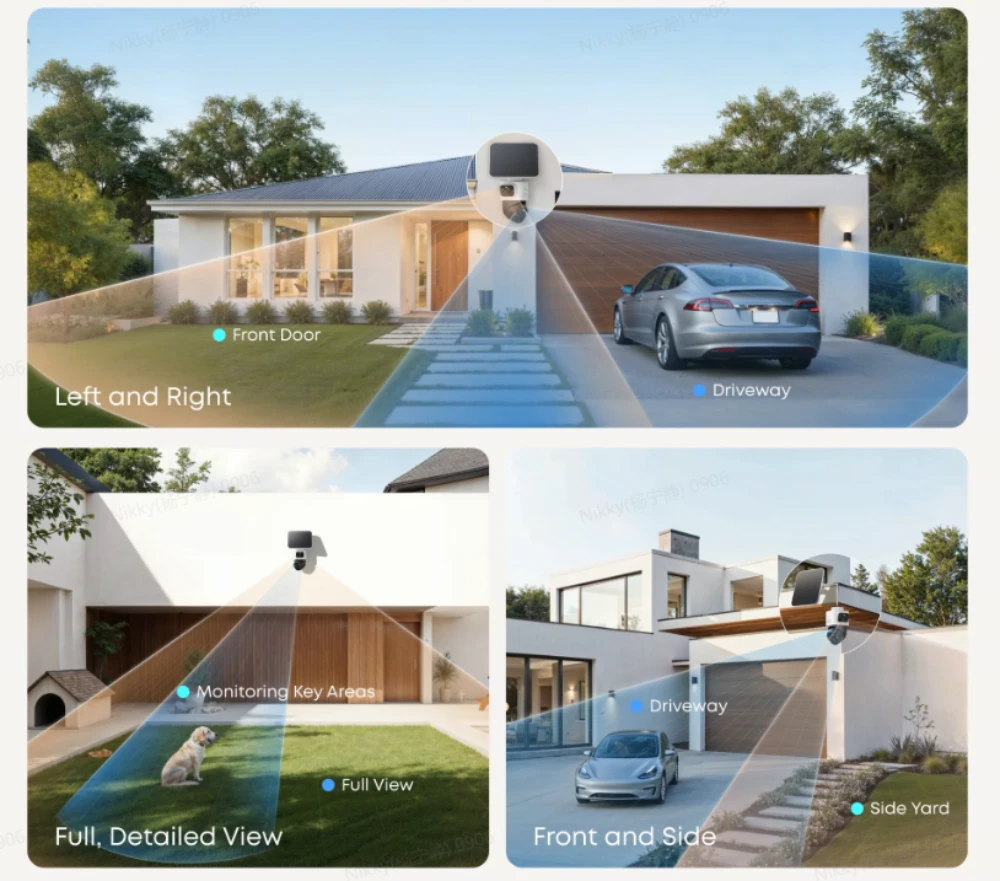
Motion Sensitivity, Activity Zones, and False Triggers
This is where a wireless battery-powered security camera often feels “unfair” compared with the marketing card. The camera is doing what you asked. It is just doing it a lot.
What to try first
- Tighten activity zones so the lens ignores the street, tree line, or neighbor walkway unless you truly need that coverage.
- Lower sensitivity one step, then wait 48 hours and re-check events. You are looking for fewer junk clips, not zero legitimate ones.
- If your app offers human-only or package-friendly profiles, test them on a porch that gets mixed motion. Fewer irrelevant starts usually beats slightly sharper motion on every twig.
What we see when installs go sideways
- A wide zone aimed at a busy sidewalk, with sensitivity set for a quiet backyard.
- A camera aimed at vents, swaying ornaments, and outdoor foliage, with continuous motion recording enabled.
Clip Length Settings That Change Real Run Time
Most camera apps ship a handful of clip presets. They look like convenience, but they set how many seconds you pay for on every alert.
- Short clips (often about 8 seconds) are built for a quick check, basically “did something happen right now?” When alerts pile up, shorter clips tend to be the gentlest setting on the battery.
- Medium clips (often about 20 seconds) add context when someone lingers on a porch or a car idles at the curb. Each event simply records longer, so the battery impact shows up faster when triggers are frequent.
- Long clips or “record until motion stops” can make sense on a quiet side gate. On a busy front walk, one long trigger can stretch into a long clip, and that often moves the battery needle more than people expect.
If you see cooldown or re-trigger delay, treat it the same way. A reasonable delay keeps one gusty stretch from chaining into five clips.
Night Vision, Spotlight, and the Winter “Double Bill”
Night vision is not “free.” Infrared illuminators, spotlights, and color night features all trade photons for electrons. In winter you lean on them more, so the same motion profile costs more than it did in September.
Practical setting guidance:
- IR night vision stays as the most battery-friendly baseline option.
- Color night vision and bright spotlight modes deliver sharp high-quality footage. They also lead to much faster battery drain.
You do not have to stick to the most power-saving mode all the time. A sensible routine is to keep advanced night features enabled on your main security cameras. For secondary viewing angles that only need basic coverage, stick with more power-efficient settings instead.
Charging Cycles, Swaps, and When a Second Battery Makes Sense
Cold also changes how charging feels. If you bring a cold camera inside to charge, it may take longer to show “full,” and that is often the pack warming and the charger protecting the cell, not a bad charger.
Good habits:
- Charge at room temperature when you can, and follow the guidance printed for your exact model.
- If you live where winter is long and the install is awkward, a spare battery or a ready-to-swap kit can be cheaper than oversizing every setting year-round.
This is one reason we like flexible outdoor lines that treat power as a system problem, not a single lucky spec on a box.
A wireless eufy option for cold-season installs
We build wireless battery-powered security camera lines for porches and yards where you want coverage without running new wiring. When winter adds triggers, we still like gear that gives you room to tune alerts and swap power when life gets busy.
eufyCam S4 for busy outdoor setups
The eufyCam S4 is our flagship Bullet-PTZ hybrid, combining a 4K wide-angle lens for a panoramic yard view with a dual 2K PTZ system for precision tracking. Featuring seamless Bullet-to-PTZ handoff, the camera automatically frames and tracks subjects with incredible detail up to 164 ft (50 m) away under optimal conditions.
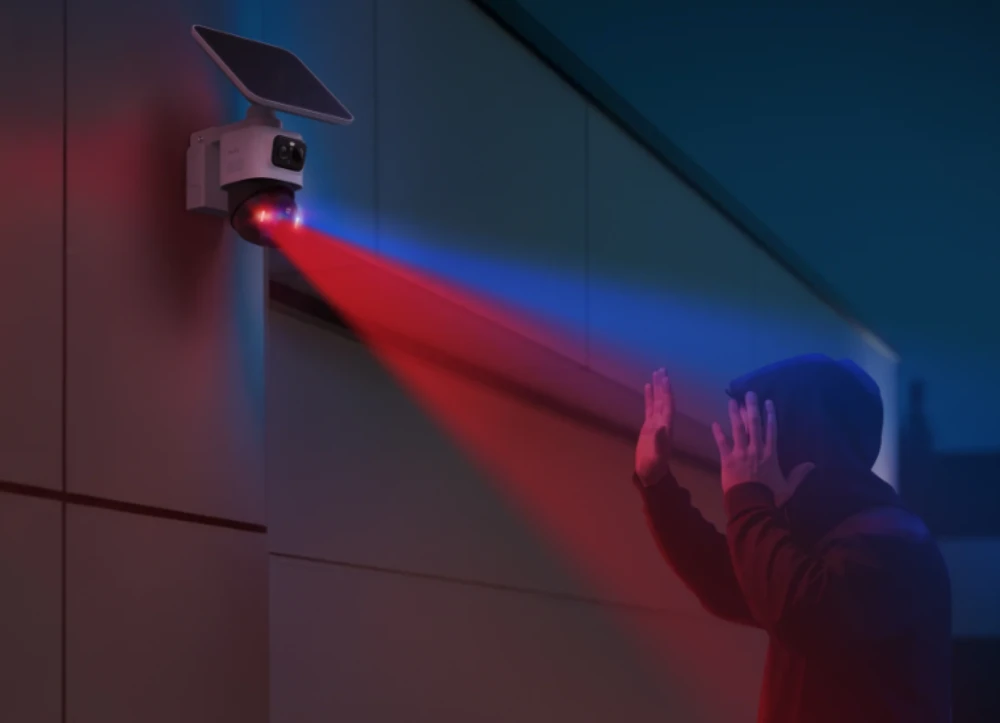
Engineered for the elements with an IP65 rating, the S4 offers versatile power through quick-swap batteries, a detachable solar panel, or USB-C for consistent performance even in harsh winters. The dual-detection system of Radar and PIR effectively eliminates false alerts on windy nights, while integrated spotlights and a built-in 105 dB siren provide proactive deterrence and vivid color night vision after sunset.
Winter Performance Checklist
Keep your camera running strong through the cold with this quick 15-minute tune-up:
- Refine Activity Zones to prevent swaying branches or passing traffic from filling your clip history.
- Shorten recording durations on high-traffic cameras before lowering sensitivity to improve battery performance.
- Use standard infrared instead of spotlights in less critical areas to maximize winter battery endurance.
- Warm batteries to room temperature before charging to ensure an accurate 100% power reading.
- Re-evaluate your settings during the next cold snap for a real-world test of winter performance.
Conclusion
Cold weather does not “break” the idea of a battery-powered security camera, but it does ask more from the pack at the same time your install often asks more from the software. Start with the honest physics, then manage triggers, clip length, and night modes like the battery tools they are. When you are ready to line up hardware with those habits, browse eufy outdoor security cameras. If you want a flagship pick built for busy yards, the eufyCam S4 offers a high-capacity, dual-lens solution that masters winter without the wiring project.