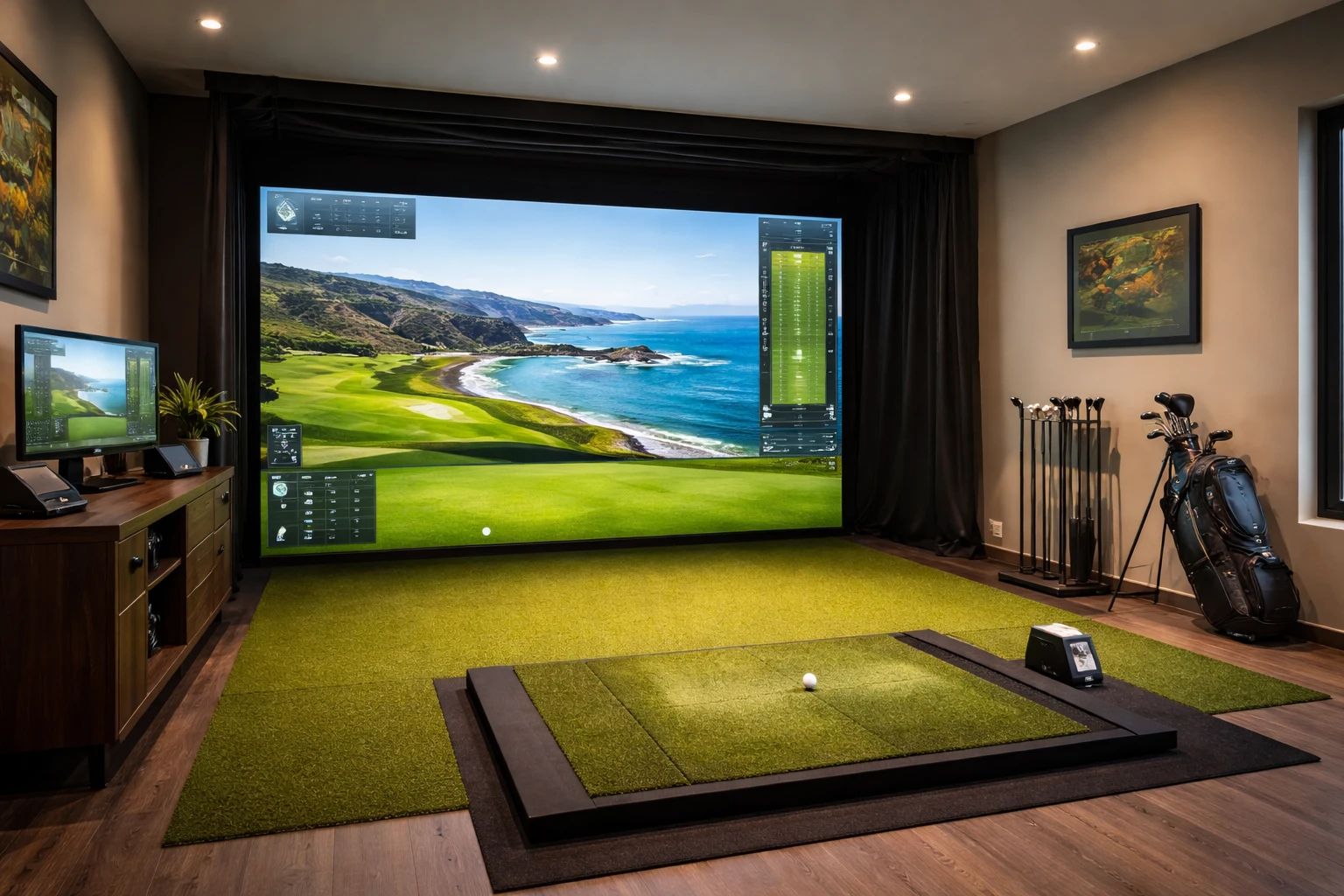
Golf simulators have changed how people practice and play at home. These systems allow golfers to work on their game year-round without leaving their house. However, the setup process requires careful thought about several factors before installation begins.
A successful home golf simulator depends on proper space requirements, equipment selection, and technical preparation. The right room dimensions matter for safe and effective use. Beyond space, golfers need to understand which components work together and how to set them up correctly. Each piece of equipment serves a specific purpose in creating an accurate practice environment.
This guide covers the essential considerations for anyone who wants to install a golf simulator at home. From room measurements to screen selection and mat quality, the article explains what to evaluate before making purchases. With the right information, homeowners can avoid common mistakes and build a setup that meets their needs.
Measure available space for ceiling height, width, and length to ensure proper fit
Accurate room measurements are necessary before you commit to any home golf simulator solutions. A tape measure works well to record the ceiling height, width, and length of your space.
Start with the ceiling height because this affects club clearance during your full swing. Most simulators need at least 9 to 10 feet of vertical space. Measure from the floor to the lowest point on your ceiling to account for any vents, lights, or beams.
Next, measure the width and length of the room. Stand at one wall and measure straight across to the opposite wall for width. Then measure from front to back for length. Empty the room first or move furniture aside to get precise numbers.
Write down all three measurements before you compare them to the simulator requirements. Different systems need different amounts of space, so these numbers help you select a model that fits your room properly.
Choose a compatible launch monitor like SkyTrak or FlightScope for accurate ball tracking.
A launch monitor serves as the brain of any golf simulator setup. It measures and analyzes ball flight data so players can track their shots and understand their swing patterns. Without one, the simulator becomes just a net with no real feedback.
SkyTrak and FlightScope Mevo+ stand out as two of the most popular launch monitors available. They both provide accurate data that helps golfers improve their game. SkyTrak+ offers features like challenge modes, skills assessment, and bag mapping through an easy-to-use app. FlightScope Mevo+ also delivers solid performance with multiple data points.
The right launch monitor captures key information such as ball speed, launch angle, and spin rate. This data turns practice sessions into productive training time. Most models work both indoors and outdoors, which adds flexibility to any setup.
Price varies across different models, so buyers should consider their budget and needs. A quality launch monitor makes the difference between a fun setup and a serious practice tool.
Select an impact screen with high durability and realistic visuals, such as Carl’s Place screens
The impact screen serves as the foundation of any home golf simulator. It needs to handle golf balls that travel at speeds up to 250 miles per hour. Poor-quality screens will fail after just a few practice sessions.
Carl’s Place offers screens that combine strength with excellent image quality. Their tightly woven design creates a smooth surface that produces clear, sharp projections. The multi-layer construction absorbs ball impacts without excessive bounce back.
These screens come in different options to match specific needs. The Preferred line provides solid durability with smooth visuals. The Premium High Contrast Gray option delivers deeper blacks and better clarity in rooms with ambient light. Both options can withstand thousands of ball strikes.
Screen size matters as much as quality. The right dimensions depend on the projector and the room space available. Most setups work best with screens that match standard aspect ratios for proper image display.
Invest in quality turf that mimics real grass, like TrueStrike mats, for authentic swing practice.
The hitting surface makes or breaks a home golf simulator setup. Standard range mats feel hard and unforgiving, which can hurt your wrists and elbows over time. They also fail to provide realistic feedback on your shots.
TrueStrike mats solve this problem with a gel-based layer beneath the turf. This design allows the club to strike through the surface, just like on a real fairway. The mat simulates what happens during a proper divot, so golfers get accurate feedback on their technique.
The difference matters for serious practice. Traditional mats often force players to adjust their swing to avoid discomfort. However, TrueStrike’s divot-simulating technology reduces joint stress while you work on your game.
These mats cost more than basic options, but they protect your body and help develop proper mechanics. The realistic feel translates directly to better performance on actual courses.
Plan for adequate lighting and electrical outlets in the simulator area
A golf simulator needs proper electrical infrastructure to function correctly. Most setups require a dedicated 20-amp circuit to handle the power demands of the projector, launch monitor, computer, and other components. This prevents circuit overloads and ensures stable performance.
The projector alone typically needs 2,500 to 5,000 lumens, depending on room conditions and screen size. Spaces with natural light require higher lumens, while darker rooms work well with lower outputs. Screens larger than 120 inches demand at least 4,000 lumens for clear visuals.
However, the type of lights matters just as much as their brightness. Flicker-free LED spotlights or track lights work best for the area where a player hits the ball. Standard LEDs can cause problems with high-speed cameras and create unwanted shadows.
Four main areas need attention: overhead lights for visibility, side lights to reduce shadows, floor lights for atmosphere, and lights near walkways for safety. Each zone serves a specific purpose and improves the overall experience.
Conclusion
A home golf simulator can transform practice routines and provide year-round access to the game. However, success depends on careful preparation and realistic expectations about space, budget, and equipment needs.
The right setup requires adequate ceiling height, sufficient room dimensions, and proper placement of components. Buyers should research their options and determine whether a DIY approach or a pre-built system makes more sense for their situation.
Those who plan and avoid common mistakes will create a practice space that delivers real value for years to come.
FAQs
Most home golf simulators require a room with at least 9–10 feet of ceiling height, 10–12 feet of width, and 12–15 feet of depth.
Yes, many homeowners install simulators in garages as long as the space provides enough ceiling height and room for a full swing.
Most simulators need a gaming-level computer to run simulation software smoothly and process ball tracking data accurately.
The launch monitor is the most critical component because it tracks ball speed, spin, and launch angle to simulate realistic ball flight.
Yes, impact screens are specifically designed to absorb the force of real golf balls when paired with proper netting and installation.
A basic setup can cost around $2,000–$5,000, while high-end systems with premium equipment can exceed $20,000.
Yes, proper lighting helps both the projector and launch monitor work correctly while also improving visibility during practice.
Yes, high-quality hitting mats protect your joints and provide realistic feedback similar to hitting off real grass.
Absolutely, simulators provide instant feedback that helps beginners understand their swing and improve faster.
Yes, many systems include virtual courses, skill challenges, and multiplayer modes that make them fun for friends and family.