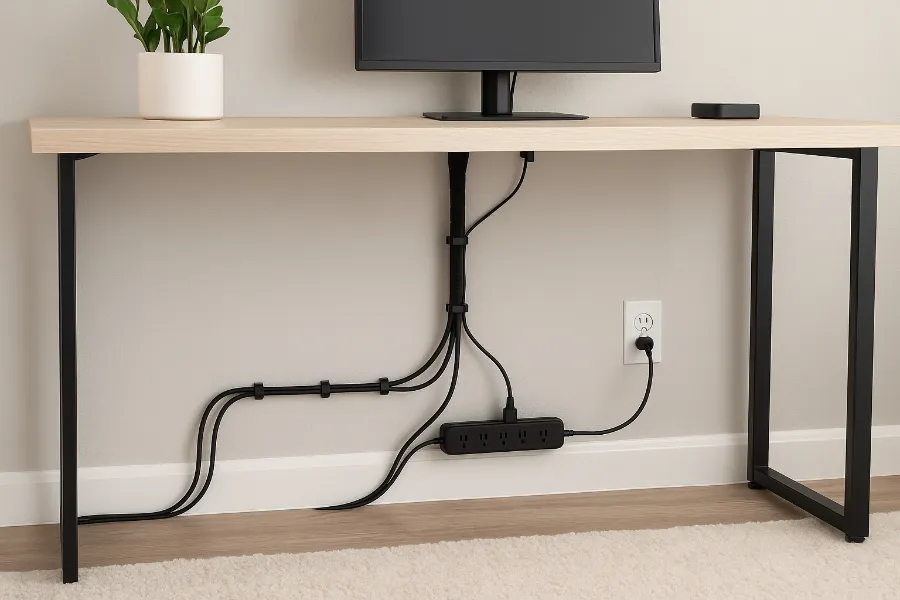
There’s something universally stressful about seeing a jungle of cables in a tight space. Even when the rest of your home is organized, the moment you peek behind your desk or nightstand, it feels like you’re staring into a chaotic alternate universe. I know this feeling way too well. For years, I kept telling myself I’d “deal with it later,” but the mess kept growing until it felt impossible to ignore. The good news is that small spaces don’t have to be cable disasters, even if you’re working with only a couple of inches behind furniture or one overcrowded outlet. Once you understand how to approach the chaos with some strategy, hiding cable clutter becomes strangely satisfying almost therapeutic.
Why Cables Look Worse in Tight Spaces
Tight spaces make everything feel magnified. One stray cable in a large living room might barely catch your attention, but in a tiny bedroom or desk corner, a single messy wire suddenly feels like a design crime. The reason is simple: your eyes have fewer places to land, so every small object carries more visual weight. That’s why cable clutter is especially overwhelming in tight areas your brain keeps trying to make sense of the shapes, lines, and shadows. This actually ties into how our minds interpret visual stimuli. There’s an interesting concept discussed in psychology called pareidolia the tendency for humans to impose meaning or recognizable shapes onto random patterns. While it usually refers to things like seeing faces in clouds, the principle still applies to clutter. Your brain keeps trying to find structure in the mess, which leads to mental fatigue. It’s fascinating how something as simple as a cable tangle can trigger this reaction.
Start by Understanding the Actual Sources of the Mess
Before diving into solutions, I learned that the first step is figuring out what kind of cables you actually have. I used to think all wires were the same problem until I realized some never move, some move daily, some are too long, and some don’t even belong there anymore. When you take a moment to understand what’s causing the bulk of your clutter, the entire process becomes easier. For example, I found old chargers that hadn’t been used in two years just sitting there, contributing to the mess for no reason. Tight spaces don’t forgive laziness like that. Once I sorted through the “active” and “inactive” cables, everything became more manageable.
Don’t Try to Hide Giant Cables Before Resizing Them
One of the biggest mistakes I made early on was trying to hide long, bulky cables behind a very small gap. It never worked. Those cables always found a way to push themselves back into the open, like they were actively rebelling. Eventually, I realized that shortening the problem is more effective than trying to hide it. I started swapping unnecessarily long chargers with shorter ones, replacing stiff wires with flexible versions, and switching some plugs to 90-degree adapters so they wouldn’t jut out. The difference was immediate. Suddenly the same tiny gap that looked impossible before became totally workable. If cable chaos is a fire, too-long wires are the gasoline. Reduce the excess length, and you automatically reduce half the clutter without even organizing anything yet.
Cable Sleeves Became My Best Friend
When I discovered cable sleeves, it felt like unlocking a cheat code. These sleeves gather multiple cables and turn them into a single, clean line. Behind my desk, this was a miracle. In a tight space, you usually can’t hide each individual cable, but you can definitely hide one tidy “tube.” It blends into the shadow of the wall or furniture naturally, and suddenly the area looks intentional and controlled. What surprised me most was how cable sleeves made the space feel calmer. Messy lines always draw your eyes, but one neat sleeve just blends in. It’s one of the simplest tricks with one of the biggest payoffs.
Adhesive Cable Clips Gave My Cables “Rules” to Follow
If cable sleeves transformed the overall look, cable clips transformed the behavior of the wires themselves. I never knew how much cables love to move, curve, droop, and do things you never intended until I started using adhesive clips. With clips, every cable suddenly had a path a place to go, a direction, and most importantly, boundaries. These tiny clips allowed me to run cables exactly where I wanted them: behind table legs, along the bottom of the desk, or down toward the power strip without looping outward. In a tight space, even a one-inch curve can ruin the aesthetic. Clips fix that instantly. They’re like the traffic police of cable organization.
Let Furniture Do the Hiding for You
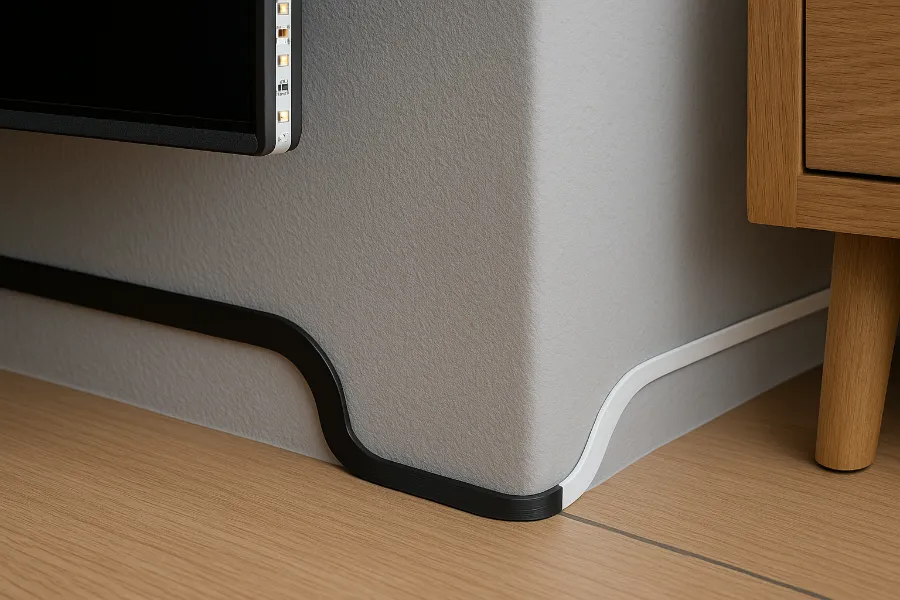
One of the biggest “aha moments” happened when I realized I didn’t need fancy tools to hide cables I just needed to use the furniture I already had. Even if the gap behind a desk or nightstand is only half an inch, that’s often enough to hide a well-directed cable. I started attaching cables along the backside of furniture using adhesive guides. I also discovered flat cable covers that can run almost invisibly down a wall behind a TV stand. Another trick that worked surprisingly well was adding a thin foam board behind my desk to create a false back. That tiny, cheap panel hid everything instantly. It’s probably one of my favorite small-space hacks ever because it looks like your furniture magically has cable management built in.
Mounting My Power Strip Changed Everything
This upgrade felt like discovering electricity all over again. Instead of letting the power strip sit on the floor where every cable falls toward it and creates a tangled mess I mounted it to the back of my desk. Suddenly all the cables fell neatly downward instead of sprawling in every direction. It also kept them from touching the floor, which made vacuuming easier and kept the entire space looking lighter and cleaner. Mounting is super easy too. Some people use screws, but I just used heavy-duty Velcro. Once I elevated the power strip, the transformation was so dramatic that I immediately did the same to my nightstand and TV console.
Cable Boxes Became My Not-So-Secret Weapon
If there’s one thing that immediately removes visual stress, it’s putting your surge protector inside a cable management box. These boxes hide the power strip and all the extra cable length that tends to pile up. In a tight space, this is a game-changer because it compresses everything into a single, closed container. I love sliding slim cable boxes under the bed or tucking them beside furniture. Even when I know the mess is inside, I can’t see it and that’s enough to make the whole room feel cleaner.
Under-Desk Cable Trays Are Perfect for Cramped Corners
If your desk is already positioned in a way that hides the underside, an under-desk cable tray is a must-have. These trays keep your power strip and cables lifted, giving them a place to exist without being visible. I like them especially for tight spaces because they prevent the messy dangling wires that always seem to multiply under desks. Once I installed one, all the cables disappeared into this neat little “parking spot.” It was honestly one of the most satisfying upgrades I’ve ever made.
Using Furniture Legs as Cable Pathways
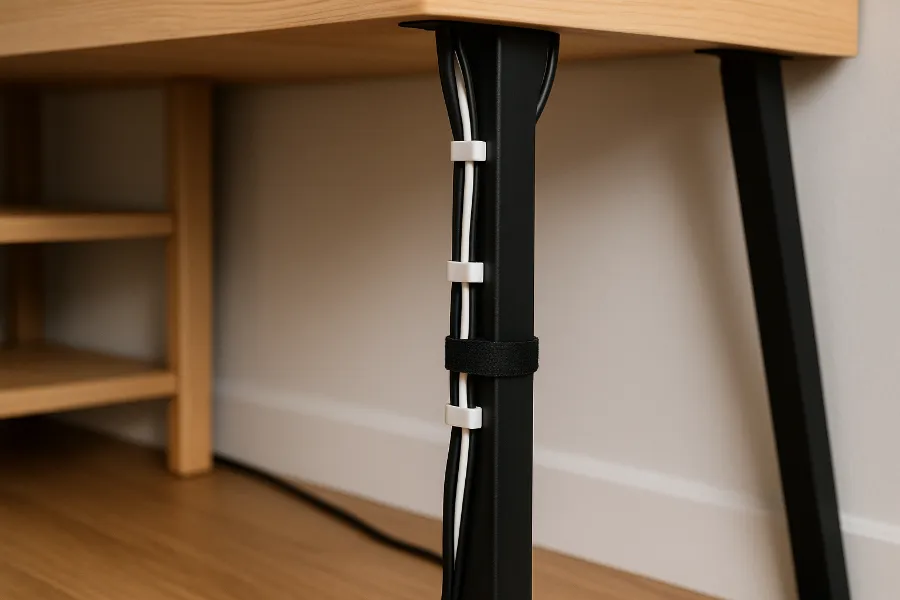
This might sound simple, but running cables along furniture legs or edges is unbelievably effective. Tight spaces require creativity. Once I realized that the legs of my desk, shelf, and nightstand were perfect natural pathways, everything changed. I wrapped cables using Velcro ties and stuck them to the backside of the legs with small adhesive clips. This kept every wire close to the furniture, hidden in the shadows, and out of my line of sight. It’s such a small thing, but visually, it makes a massive difference.
Hiding Cables Under Rugs (But Safely)
At one point, I had to run a cable across the room, and there was absolutely no elegant way to do it. So I tucked it under a rug. But before doing that, I checked safety guidelines from the U.S. Consumer Product Safety Commission because some cables can overheat if they’re not the right type. Using a flat cable protector under the rug made the wire completely invisible. It created no bumps, no safety hazards, and no eyesores. As long as it’s done correctly, this is a fantastic trick for small rooms.
Creating a Hidden Charging Station Simplified Everything
Having chargers all over the room creates so much unnecessary messy energy. So I turned one of my drawers into a hidden charging station probably one of the best decluttering decisions I’ve made. I added a small power strip inside the drawer and fed the main cord out the back. Now all my everyday charging happens in one clean, hidden spot. If drawers aren’t an option, baskets or small shelves work just as well. Centralizing cables makes small spaces feel instantly calmer.
Velcro Cable Ties Became My Daily Must-Have
I used to underestimate cable ties. Now I won’t organize a single cable without them. They’re the easiest way to keep coils tidy, hold multiple wires together, and stop cables from sliding into places they don’t belong. Velcro ties are especially perfect because they’re reusable and don’t damage the cables. In tight spaces, less bulk equals more beauty. Velcro ties help you achieve that effortlessly.
Flat and Adhesive-Backed Cables Changed My Approach
When I discovered flat HDMI and flat Ethernet cables, it felt like I’d unlocked an entire new world of cable organization possibilities. These wires lay nearly flush against walls and floors, making them ideal for the tiniest gaps. They practically vanish when routed along edges or behind furniture. Adhesive-backed LED strip cables also helped me a lot, especially behind my TV setup. They don’t droop, they don’t tangle, and they stick exactly where you want them.
Labeling Cables Saved My Sanity Later
I didn’t appreciate labels until I needed to unplug something quickly one day and had no idea which cable was which. Tight spaces make it hard to pull things out and examine them, so labeling cables in advance saves so much trouble. Even small tags make a huge difference, especially with multi-device setups. Once I labeled my cables, managing and adjusting everything became easier and faster, even months later.
Think in Terms of Cable “Paths,” Not Individual Cables
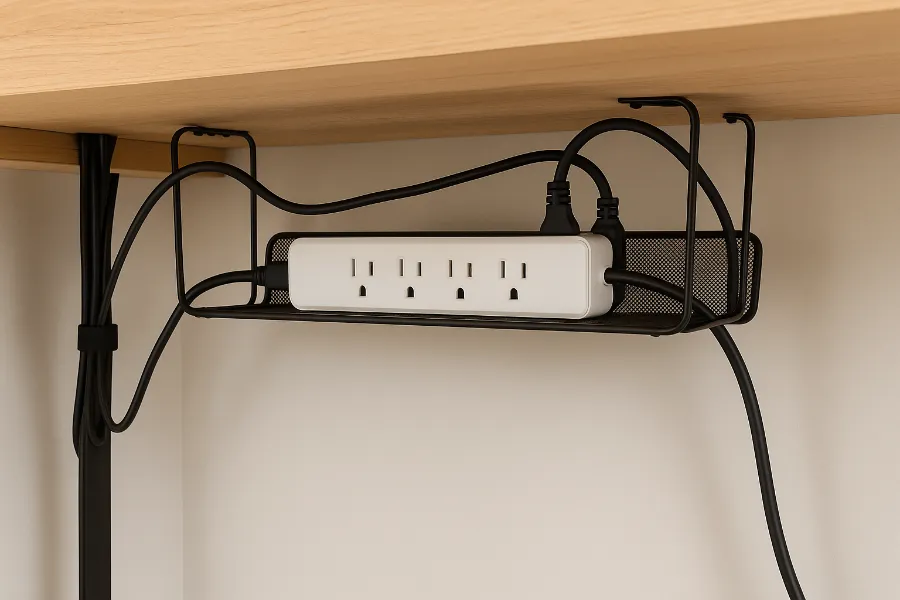
The biggest mindset shift happened when I stopped treating cables as separate objects and started thinking of them as one system with a single flow. Instead of letting each wire fall wherever it wanted, I gave all my cables a coordinated path. They dropped downward first, then moved horizontally, then disappeared into one hidden hub. This strategy creates visual calm. The moment your cables all follow the same direction, they stop feeling like clutter and start feeling like part of the design.
Final Thoughts: Tight Spaces CAN Look Clean
Hiding cable clutter in tight spaces isn’t impossible. In fact, once you commit to the process, it becomes surprisingly fun. You start to see your space differently, noticing all the small opportunities for neatness you didn’t see before. Every clip, tie, sleeve, and tiny tweak builds toward a cleaner environment and honestly, a clearer mind. The best part? It doesn’t need to be perfect. It just needs to feel intentional. Once your cables stop screaming for attention, your room feels bigger, calmer, and more put together.
FAQs
Use cable sleeves, adhesive clips, and furniture edges to guide cables into hidden paths without taking up extra space.
Mount your power strip under the desk and use slim cable sleeves so the cables run flat against the surface.
Yes use adhesive cable clips, Velcro straps, and peel-and-stick cable channels that remove cleanly.
Attach clips along the nightstand’s backside and mount a small charging station or cable box nearby.
Yes, as long as the box has ventilation and you avoid overloading power strips inside it.
Coil the extra length with Velcro ties or place the excess inside a cable box or drawer.
Use flat cable covers that run vertically along the wall or stick wires to the back of the TV console.
Only if you use flat, low-heat cables with proper under-rug cable covers to avoid overheating.
Create a hidden charging drawer or basket to consolidate all charging cables out of sight.
Label each cable, maintain routes with clips, and add or remove cables intentionally instead of letting them pile up.