
Choosing a laptop for college feels weirdly personal almost like you’re picking a sidekick who will follow you through every messy semester, midnight study session, and frantic “why didn’t I start this earlier?” essay sprint. It’s not just a piece of tech. It becomes your desk when you’re studying on your bed, your entertainment during downtime, your library during finals week, and your lifeline when you’re submitting assignments at 11:59 PM. This is why picking the right features is such a game-changer. A laptop with the wrong specs can drain your energy, slow you down, and sabotage your momentum more than you realize. The right one, though, makes college life noticeably easier smoother days, fewer technical annoyances, and less stress. The goal isn’t to buy the most expensive thing, but to understand what features actually make a real difference when you’re juggling classes, projects, and everything else college throws at you.
Lightweight and Portable Enough to Carry Everywhere
One thing students never realize until it’s too late is how much weight matters. You might think you’ll only carry your laptop some days, but in reality, it travels with you more than your water bottle. It sits in your backpack during long walks across campus, gets hauled up staircases between classes, and gets dragged around from lecture halls to study lounges almost daily. When your laptop is light enough, your back genuinely thanks you. Anything too heavy quickly becomes annoying, even if it has great specs. A portable laptop makes it easier to study anywhere at a café, outside on the grass, in a crowded library without feeling like you’re lugging a dumbbell around. When you find something thin, compact, and comfy to carry, you suddenly feel freer to move around and study wherever the vibe feels right that day.
Battery Life That Actually Lasts Through a Full Day
Nothing exposes the weakness of a laptop faster than a day of classes without accessible outlets. Most campuses seem to have this strange scarcity of working power plugs, especially during midterms and finals when everyone is desperately trying to get things done. A laptop that lasts all morning and afternoon without begging for a charger is worth its weight in gold. When you don’t have to panic about finding an outlet or watch your battery slowly die halfway through an online quiz, it makes your day noticeably easier. Long battery life also pairs with the concept of energy efficiency, and if you’re curious about how this relates to power consumption, the U.S. Department of Energy has helpful material on the basics of energy use and electronic devices.
Fast Storage (SSD) That Keeps You Moving
If there’s one feature that instantly transforms your laptop experience, it’s having an SSD. These little pieces of tech magic make everything smoother your laptop boots up in seconds, apps open instantly, and nothing lags when you multitask. During college, every minute matters, especially when you’re in a hurry or switching between assignments. An SSD makes everything feel snappy and responsive. And trust me, after using one, you’ll wonder how anyone survives with older hard drives. Slow laptops drain motivation. They make you dread opening your computer. But an SSD gives your laptop the energy it needs to keep up with your busy schedule. It’s a subtle feature on paper but one that completely changes your daily experience.
Enough RAM to Handle All Your Tabs and Tasks
If you’re anything like most students, your browser will probably see 20 to 40 tabs open at any given moment articles, readings, research, online textbooks, Spotify, that random YouTube tutorial you swear you’ll finish later. RAM is what keeps your laptop from freezing when your digital chaos reaches its peak. Having enough memory means your laptop won’t choke during group project video calls, online quizzes, or when you’re juggling readings and writing at the same time. It’s one of those things you don’t appreciate until you experience the frustration of too little. When your laptop has enough RAM, everything feels smoother, calmer, and far less stressful.
A Comfortable Keyboard for All Those Late-Night Writing Sessions
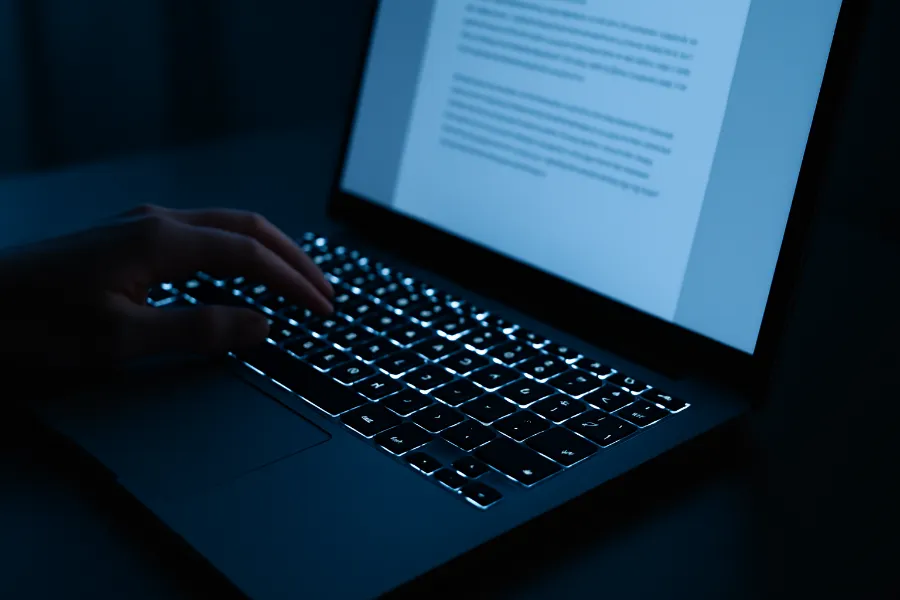
College means writing a lot of writing. Essays, reports, lab writeups, discussion board entries, emails to professors, group project messages… it never stops. That’s why having a keyboard that feels comfortable makes more difference than people give it credit for. When the keys feel right under your fingers, writing becomes a little less painful. When they’re stiff, mushy, or cramped, even simple tasks feel frustrating. Backlighting becomes essential too, because you’ll inevitably end up typing at night, either because inspiration strikes late or because you simply procrastinated. A comfortable keyboard doesn’t just help productivity it helps your mood during long writing sessions.
A Bright, Clear Display That Doesn’t Hurt Your Eyes
You’re going to spend hours looking at your laptop screen sometimes way more hours than you ever planned. Between readings, online homework, streaming, video calls, and long study sessions, your screen practically becomes your second home. This is why having a bright, crisp display matters. When text looks clean and colors look natural, it’s easier to focus and less stressful for your eyes. Brightness also matters if you study outdoors or near windows where glare can be an issue. A high-quality screen makes the whole laptop feel better, more premium, and more enjoyable to use, especially during long academic days.
Good Wi-Fi Performance for Busy Campus Networks
Campus Wi-Fi is famously unpredictable. It works beautifully one moment and glitches the next, especially in crowded lecture halls. A laptop with strong Wi-Fi capabilities can handle the chaotic nature of those networks more reliably. Good antennas, modern Wi-Fi standards, and stable connectivity make a surprising difference when you’re trying to stream a lecture or join a virtual group meeting. It’s one of those invisible features you don’t think about but definitely notice when it fails especially during timed quizzes or online exams.
Build Quality That Stands Up to Real College Living
College life is not gentle on electronics. Your laptop will get tossed into backpacks, carried through rain, squeezed between books, and occasionally nearly sat on because you forgot where you put it. A durable build helps your laptop survive the journey. Sturdy hinges, solid materials, and overall good construction keep it from falling apart before graduation. There’s also something satisfying about using a laptop that feels solid and reliable every time you open it. It becomes a small sense of stability amid the chaos of classes and deadlines.
Essential Ports That Make Your Life Easier
Even though everything seems to be going wireless, ports remain surprisingly important for students. Presentations still rely on HDMI connections, group projects still use flash drives, and wired headphones still come to the rescue when your wireless earbuds die. Laptops with enough ports save you from carrying dongles or scrambling to borrow an adapter five minutes before a presentation. Having the right physical connections simply makes life easier.
A Good Webcam and Microphone for Classes and Meetings
Even if your schedule is mostly in-person, college still includes virtual elements group meetings, online discussions, office hours, and internship interviews. A laptop with a decent webcam and microphone helps you show up clearly and confidently. You don’t need studio-level quality; you just need to avoid looking like a blurry pixelated shadow. If you’re curious about the technical background of how webcams actually process images, Wikipedia has a detailed article on the optical concept of chromatic aberration, which affects digital lenses. It’s a surprisingly interesting rabbit hole once you dive into it.
Graphics Power When Your Major Actually Needs It
Most students don’t need dedicated graphics, but certain majors absolutely do. If you’re in engineering, design, architecture, computer science, film, or anything involving 3D modeling, graphics power becomes essential. It speeds up rendering, reduces crashes, and lets complex software run smoothly. For everyone else, integrated graphics are perfectly fine. The key is to match your laptop’s graphics capabilities to the demands of your major so you’re not overspending or underpreparing.
Touchscreen or 2-in-1 Flexibility (If It Fits Your Style)
Some students genuinely love touchscreens. They make reading, writing notes, and marking up PDFs feel more natural. Being able to flip the laptop into tablet mode can make long reading sessions or casual browsing feel more comfortable. But touchscreens do add weight and cost, which means they’re only worth it if you’ll actually use the feature. It all depends on your workflow and personal preferences. For some people it’s life-changing; for others it’s just another feature that looks cool but goes unused.
A Keyboard with Backlighting for Nighttime Productivity
If you’ve never worked in a dim dorm room while your roommate sleeps, you will someday. Backlit keyboards become lifesavers in those quiet late-night hours. Whether you’re working on a deadline, journaling, or simply catching up on assignments when campus is finally quiet, backlighting makes the experience far more comfortable. Once you get used to it, you’ll never want a laptop without it again.
Cool and Quiet Performance (Because Nobody Wants a Jet Engine Laptop)
Your laptop shouldn’t sound like it’s preparing for takeoff every time you open a browser tab. Good cooling design and quiet fans make your daily routine smoother and more pleasant. A laptop that stays cool performs better, lasts longer, and won’t overheat during important work sessions. Cool and quiet operation is one of those quality-of-life features you don’t notice until you use a laptop that doesn’t have it and then you understand its importance instantly.
A Price That Makes Sense for Your Budget and Your Major
Finally, there’s the price. College is already expensive, and your laptop doesn’t need to strain your finances even more. Most students thrive with a mid-range machine rather than a top-of-the-line model. The key is to invest in the features you’ll use daily. If your major requires heavy software or media work, spending more upfront is wise. But if your workload is mostly writing, research, and light multitasking, a more modestly priced laptop will serve you perfectly well. It’s all about choosing what fits your own academic life rather than what looks flashy on paper.
Final Thoughts
Picking the best laptop features for college isn’t about chasing trends it’s about understanding what truly supports your daily life. A lightweight build, strong battery, fast storage, comfortable typing experience, durable construction, and good display all come together to shape your college workflow. When your laptop works smoothly and reliably, it frees you to focus on learning, creating, and navigating that beautifully chaotic college universe. And with the right device at your side, everything from writing essays to collaborating with classmates starts to feel just a bit easier.
FAQs
Portability and battery life are the most essential, since students carry laptops everywhere.
Most students will be comfortable with 8–16 GB, while design or engineering majors may need 16–32 GB.
Yes. SSDs are much faster, quieter, and more reliable, making everyday tasks smoother.
Only for majors like engineering, architecture, film, game design, or 3D modeling. Most others don’t need one.
A 13–14 inch display offers the best balance of portability and comfort for long study sessions.
It depends on preference. Touchscreens help with note-taking and reading, but aren’t required for everyone.
256 GB is the minimum; 512 GB is ideal for most students to store documents, videos, and apps.
A few key ports like USB, USB-C, HDMI, and a headphone jack make school tasks much easier.
Yes, especially for writing, media, and creative fields, though Windows laptops offer more variety and affordability.
A reliable laptop should comfortably last 4 years, ideally covering your entire degree.